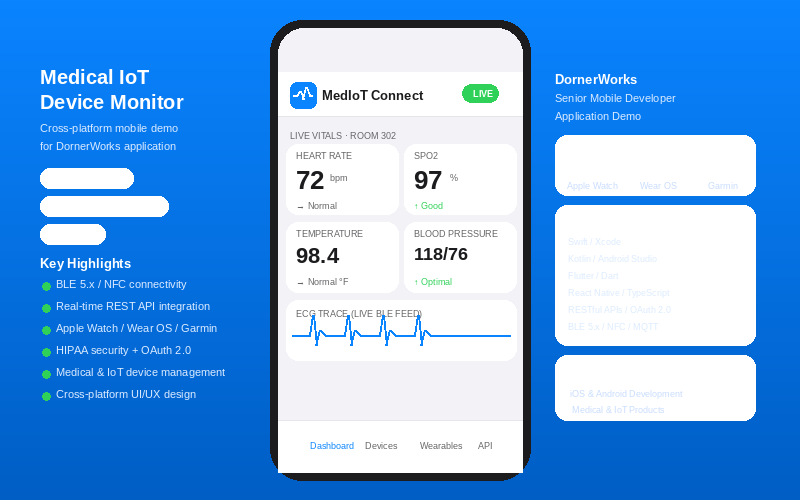
Medical IoT Device Monitor
MedIoT Connect is an interactive mobile app demo built to highlight Senior Mobile Developer competencies for DornerWorks. It demonstrates cross-platform development (iOS/Swift, Android/Kotlin, Flutter, React Native), real-time BLE 5.x device connectivity, live medical vitals monitoring, Apple Watch / Wear OS / Garmin wearable integrations, RESTful API communication, OAuth 2.0 security, and HIPAA-compliant data handling — all areas directly aligned with DornerWorks connected Medical and IoT products.
Download the App
Interactive Demo
Run the interactive demo directly in this page, or open it in a dedicated tab for full-screen testing.
Demo Size
This interactive demo allows you to try Medical IoT Device Monitor. Use keyboard navigation to interact with the embedded content.
Project Information
Technology Stack
How to Use Medical IoT Device Monitor
Follow this interactive guide to learn all the features and how to use this application effectively.
Device Connectivity
Connect to medical IoT devices via Bluetooth Low Energy.
Instructions
- Launch MedIoT Connect app on iOS or Android
- Enable Bluetooth and grant permissions
- Scan for nearby BLE medical devices
- Pair with cardiac monitors, infusion pumps, or ventilators
Pro Tips
- BLE 5.x provides reliable connectivity up to 30 feet
- NFC pairing available for patient wristbands
Step 1 of 3