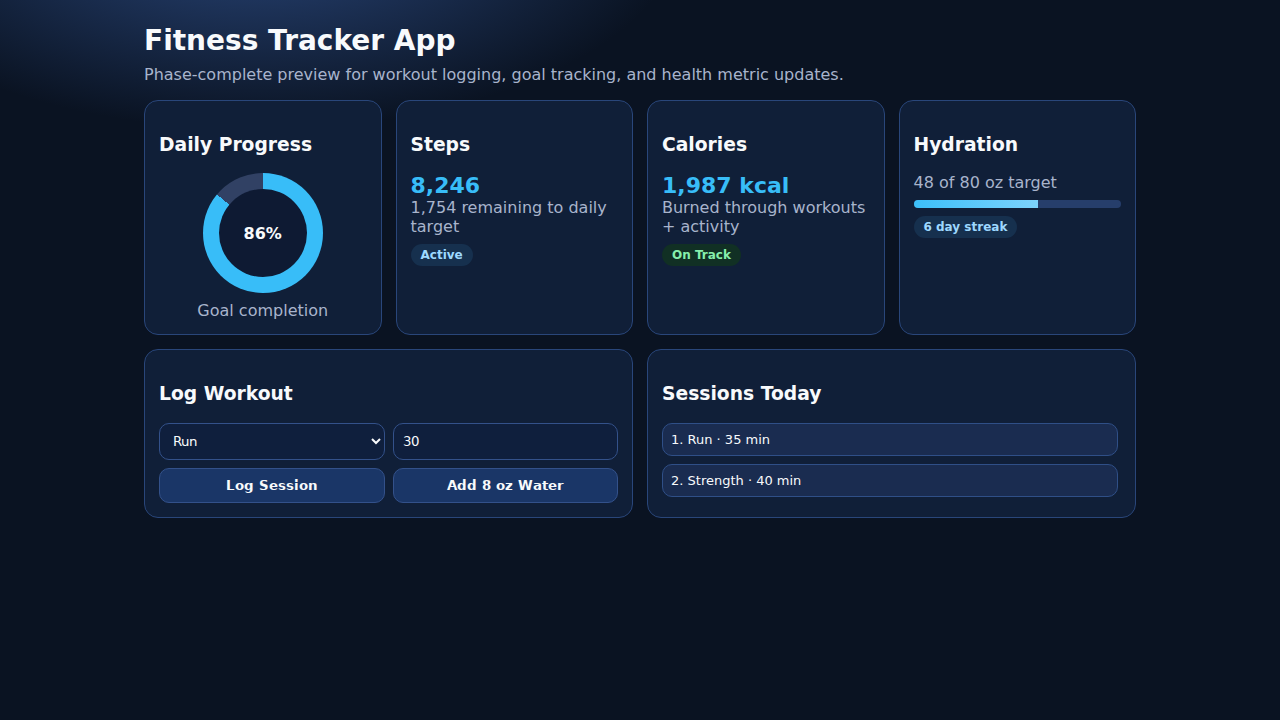
Fitness Tracker App
FitTrack is a comprehensive cross-platform fitness tracking application built with React Native and Expo. Log workouts (running, cycling, swimming, gym, yoga, walking), monitor real-time health metrics (heart rate, steps, calories, water, sleep) via Apple HealthKit and Google Fit, sync with wearable devices (Apple Watch, Wear OS, Fitbit), set and track fitness goals with visual progress, and view weekly performance summaries with interactive charts. The app features full user authentication, detailed profile management with BMI calculation, and a professional Material Design UI optimized for iOS and Android.
Mobile Source Code
Interactive Demo
Run the interactive demo directly in this page, or open it in a dedicated tab for full-screen testing.
Demo Size
This interactive demo allows you to try Fitness Tracker App. Use keyboard navigation to interact with the embedded content.
Project Information
Technology Stack
How to Use Fitness Tracker App
Follow this interactive guide to learn all the features and how to use this application effectively.
Logging Workouts
Track exercise activities with Apple HealthKit and Google Fit.
Instructions
- Select workout type: Running, Cycling, Swimming, Strength, Yoga, HIIT
- Enter duration, distance, and calories burned
- Set intensity level for the workout
- Data syncs to HealthKit (iOS) or Google Fit (Android)
Pro Tips
- Cross-platform React Native with Expo
- HealthKit/Google Fit provide seamless data sync
Step 1 of 3