SQL & XML Data Operations Platform
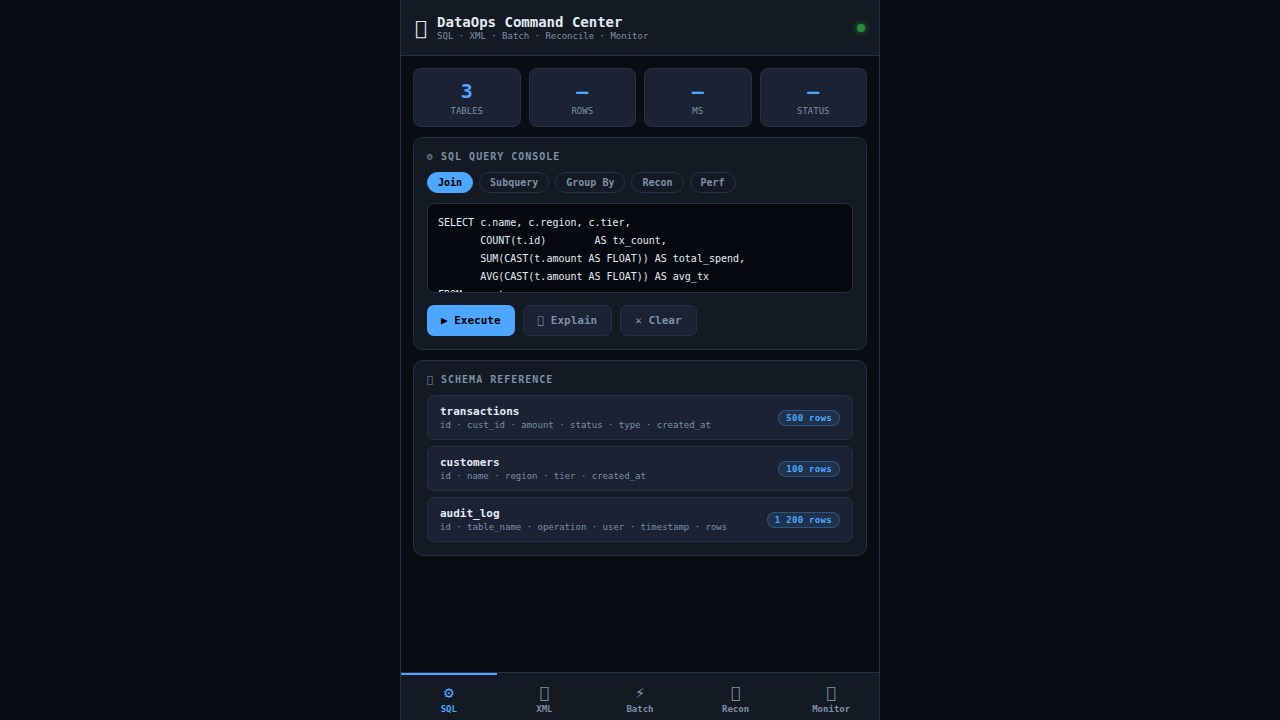
DataOps Command Center is a full-stack demo built for a Senior Operations & Maintenance Engineer role. It showcases five integrated capabilities: a SQL Console that executes complex JOINs, subqueries, GROUP BY aggregations, reconciliation queries, and performance-tuning EXPLAIN plans against an in-memory relational dataset of 500 transactions, 100 customers, and 1,200 audit log rows; an XML Ingestion Pipeline using native DOMParser to parse, validate, transform, and load financial transaction feeds and system event logs with schema error detection; a Batch Job Monitor displaying 8 scheduled ETL/archival jobs with live rerun functionality and per-job execution logs; a Data Reconciliation engine that compares source and target datasets field-by-field, flags mismatches and missing records, and generates automated root-cause analysis reports; and a System Monitor with animated CPU/memory/connection charts, live log streaming with severity filtering (Splunk-style), active alert management, and a data governance compliance panel covering audit trails, PII masking, and change control. The responsive dark-themed UI targets web, Android (Chrome), and iOS (Safari) with touch-friendly navigation — directly aligned with all required O&M qualifications in the job description.
Download the App
Desktop installers are built automatically from the source in this repo — see the release-desktop workflow.
Interactive Demo
Run the interactive demo directly in this page, or open it in a dedicated tab for full-screen testing.
Demo Size
This interactive demo allows you to try SQL & XML Data Operations Platform. Use keyboard navigation to interact with the embedded content.
Project Information
Technology Stack
How to Use SQL & XML Data Operations Platform
Follow this interactive guide to learn all the features and how to use this application effectively.
SQL Query Console
Execute SQL queries against in-memory database.
Instructions
- Write SQL in the console editor
- Execute complex JOINs, subqueries, and GROUP BY
- Run aggregation queries and reconciliation checks
- View EXPLAIN plans for query optimization
Pro Tips
- 500-row in-memory relational database
- Supports full SQL syntax including CTEs
Step 1 of 3
Continue Exploring
Related Projects
Online Grocery Order System
Full-stack retail ordering app with product catalog, cart, checkout form, and order persistence
Task Manager
Full-stack task management app with CRUD, priority levels, filters, search, and localStorage sync
Kamps Smart Factory Platform
Industry 4.0 mobile dashboard showcasing PLC integration, YOLOv8 pallet detection, K3s microservices, Prometheus/Grafana observability, MQTT pub/sub, and full CI/CD — built for Kamps