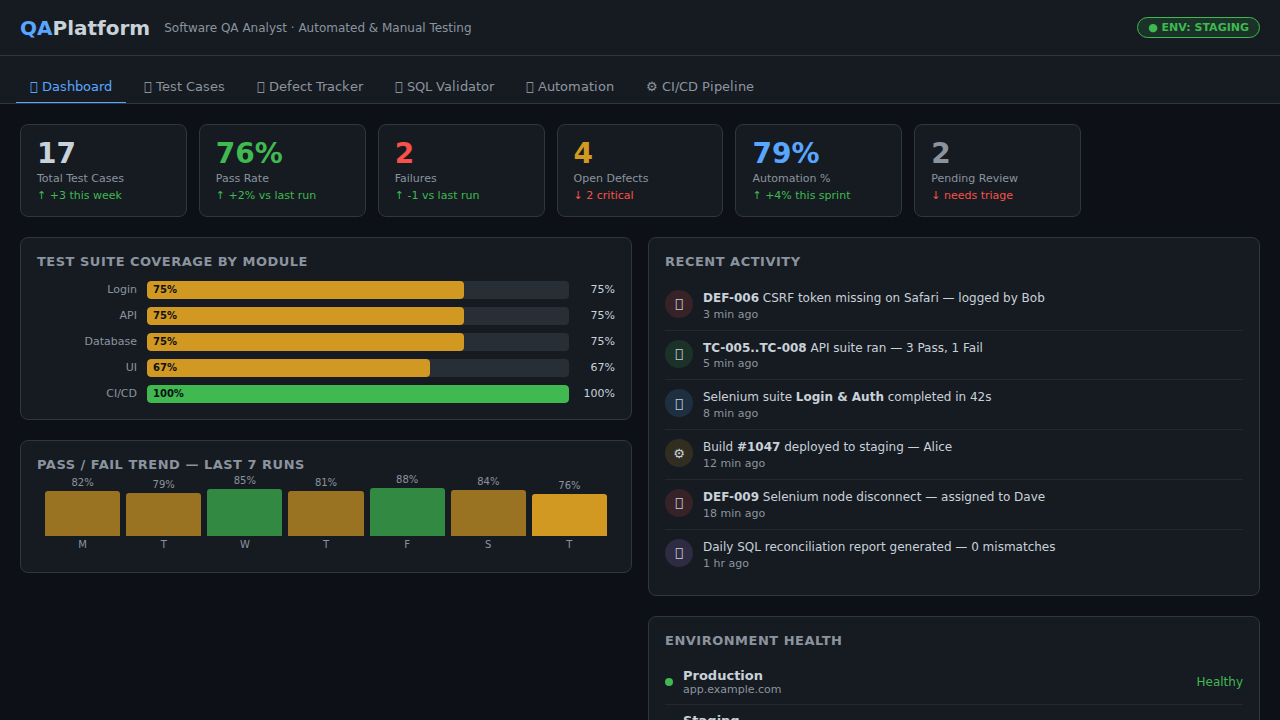
Software QA Analyst Platform
QAPlatform is an interactive demo built for a Software QA Analyst role. It showcases five integrated capabilities: a Test Case Manager for designing, filtering, and executing manual and automated tests across Login & Auth, API, Database, UI Regression, and CI/CD suites; a Kanban Defect Tracker with Open/In-Progress/Resolved/Closed columns and severity tagging; a SQL Validator that executes complex JOINs, GROUP BY aggregations, and WHERE filters against an in-memory relational database of 72 test cases, 48 defects, and 500 test run records; a Selenium + Python Automation panel displaying real pytest test scripts for Selenium WebDriver, requests, pyodbc (SSMS), and Snowflake connectors with live mock execution output; and a CI/CD Pipeline view simulating an Azure DevOps build with 8 stages (Checkout, Lint, Unit Tests, Docker Build, Integration Tests, DB Migrate, AKS Deploy, Smoke Tests) and interactive trigger. The responsive dark-themed UI targets web, Android, and iOS with professional QA tooling aesthetics.
Download the App
Desktop installers are built automatically from the source in this repo — see the release-desktop workflow.
Interactive Demo
Run the interactive demo directly in this page, or open it in a dedicated tab for full-screen testing.
Demo Size
This interactive demo allows you to try Software QA Analyst Platform. Use keyboard navigation to interact with the embedded content.
Project Information
Technology Stack
How to Use Software QA Analyst Platform
Follow this interactive guide to learn all the features and how to use this application effectively.
Test Case Management
Create and execute manual test cases across suites.
Instructions
- Browse test suites: Login & Auth, API, Database, UI Regression, CI/CD
- Create new test cases with steps and expected results
- Execute tests and mark as Pass, Fail, Pending, or Blocked
- Filter tests by suite, status, or priority
Pro Tips
- Color-coded status makes tracking easy
- Test cases support full CRUD operations
Step 1 of 3
Continue Exploring
Related Projects
Online Grocery Order System
Full-stack retail ordering app with product catalog, cart, checkout form, and order persistence
Task Manager
Full-stack task management app with CRUD, priority levels, filters, search, and localStorage sync
Kamps Smart Factory Platform
Industry 4.0 mobile dashboard showcasing PLC integration, YOLOv8 pallet detection, K3s microservices, Prometheus/Grafana observability, MQTT pub/sub, and full CI/CD — built for Kamps