Accessibility QA Engineer – AI Trainer Platform
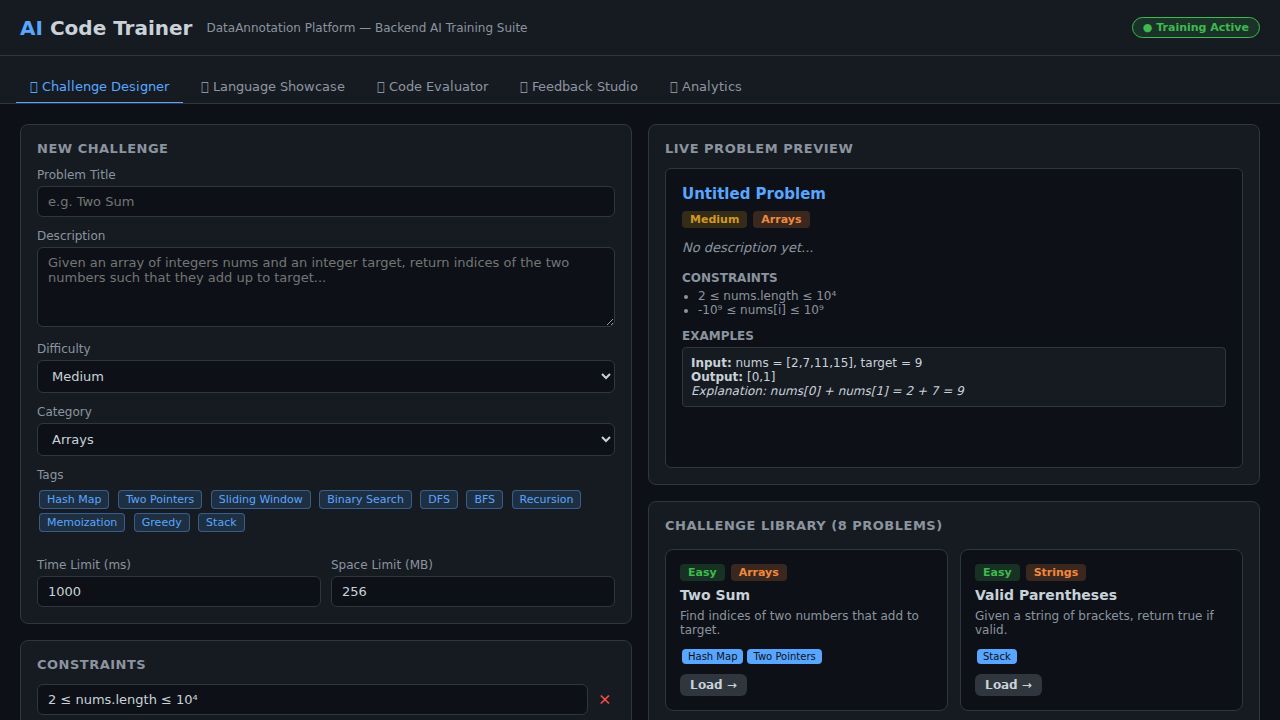
A comprehensive Accessibility QA Engineer – AI Trainer platform built for the DataAnnotation role. It demonstrates five integrated capabilities: an Accessibility Auditor with live WCAG 2.1 color-contrast ratio calculator (AA/AAA), ARIA role and attribute validator with tree visualization, keyboard navigation focus-order auditor, a 14-item WCAG 2.1 AA quick checklist, and a screen-reader output simulator; a Challenge Designer for authoring accessibility-focused coding problems (Modal Dialog, Contrast Checker, ARIA Live Region, Focus Trap, etc.) with live preview and an 8-problem pre-seeded library; a Code Evaluator that statically analyses pasted JavaScript for accessibility patterns (role="dialog", aria-modal, focus trap, Escape handler) with cyclomatic-complexity metrics and an 8-case WCAG-tagged test runner; an AI Feedback Studio for reviewing three pre-loaded AI-generated submissions (keyboard trap, Python alt-text generator, TypeScript ARIA live announcer) across six scoring dimensions (Correctness, Accessibility, WCAG Compliance, Code Clarity, Performance, Robustness) with history table and KPI cards; and an Analytics Dashboard with four Canvas-rendered charts (WCAG issue distribution bar, severity donut, 12-week quality trend, language distribution), a WCAG principle data-quality table, contributor leaderboard, and real-time activity feed.
Download the App
Desktop installers are built automatically from the source in this repo — see the release-desktop workflow.
Interactive Demo
Run the interactive demo directly in this page, or open it in a dedicated tab for full-screen testing.
Demo Size
This interactive demo allows you to try Accessibility QA Engineer – AI Trainer Platform. Use keyboard navigation to interact with the embedded content.
Project Information
Technology Stack
How to Use Accessibility QA Engineer – AI Trainer Platform
Follow this interactive guide to learn all the features and how to use this application effectively.
WCAG Accessibility Auditor
Check color contrast and WCAG 2.1 compliance.
Instructions
- Enter foreground and background hex colors
- Calculate contrast ratio automatically
- See AA/AAA pass/fail badges for text sizes
- WCAG 2.1 Level AA and AAA compliance checked
Pro Tips
- Minimum 4.5:1 for normal text (AA)
- 7:1 ratio required for AAA compliance
Step 1 of 3
Continue Exploring
Related Projects
Online Grocery Order System
Full-stack retail ordering app with product catalog, cart, checkout form, and order persistence
Task Manager
Full-stack task management app with CRUD, priority levels, filters, search, and localStorage sync
Kamps Smart Factory Platform
Industry 4.0 mobile dashboard showcasing PLC integration, YOLOv8 pallet detection, K3s microservices, Prometheus/Grafana observability, MQTT pub/sub, and full CI/CD — built for Kamps