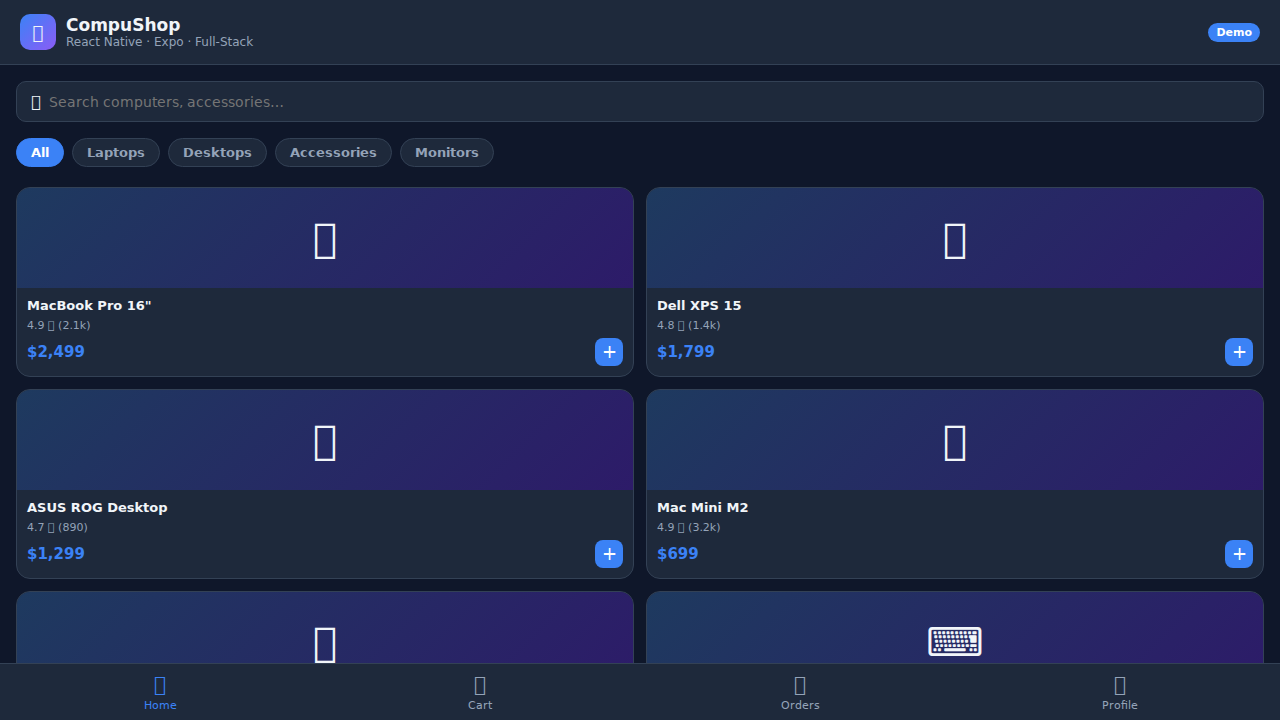
Computer Store App
A production-ready cross-platform mobile app built with Expo and React Native. Browse a catalog of computers and peripherals, manage your cart, complete checkout with Stripe payments, scan barcodes with the device camera, receive push notifications for order updates, and authenticate securely with biometric support. Deployable as an Android APK or iOS IPA via Expo Application Services (EAS Build).
Download the App
Interactive Demo
Run the interactive demo directly in this page, or open it in a dedicated tab for full-screen testing.
Demo Size
This interactive demo allows you to try Computer Store App. Use keyboard navigation to interact with the embedded content.
Project Information
Technology Stack
How to Use Computer Store App
Follow this interactive guide to learn all the features and how to use this application effectively.
Browsing Products
Explore computers and electronics catalog.
Instructions
- View product catalog with images and prices
- Browse categories for laptops, desktops, accessories
- Use search to find specific products
- Click product cards for detailed specifications
Pro Tips
- Available on Android APK and iOS IPA
- Built with Expo for cross-platform compatibility
Step 1 of 3