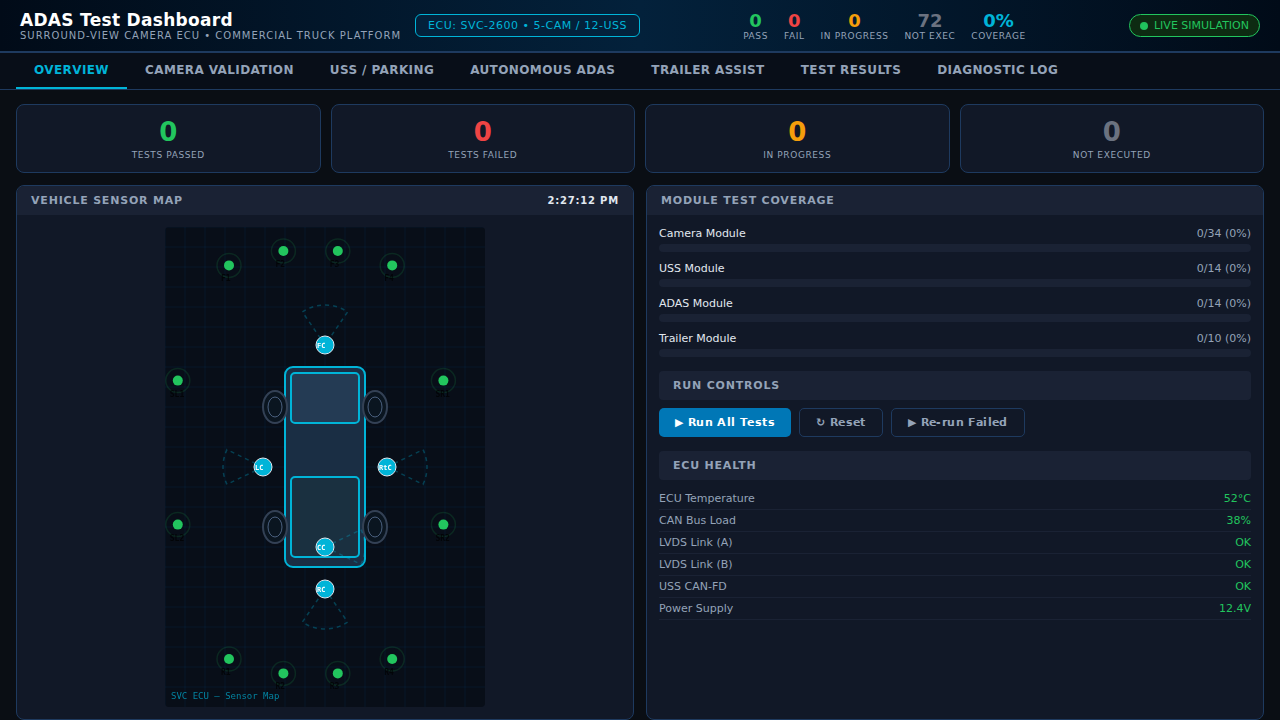
ADAS Camera Software Test Dashboard
A professional automotive software test dashboard built for validating an ADAS surround-view camera ECU on a commercial truck platform. The system integrates five camera channels (front, rear, left, right, cargo/truck-bed), twelve ultrasonic parking sensors (USS), and autonomous driving and trailer-assist feature modules. The interactive demo simulates real-time test case execution with animated mock camera feeds, live sensor overlays, test suite management, and a status board tracking pass, fail, in-progress, and not-executed states across all ADAS subsystems.
Interactive Demo
Run the interactive demo directly in this page, or open it in a dedicated tab for full-screen testing.
Demo Size
This interactive demo allows you to try ADAS Camera Software Test Dashboard. Use keyboard navigation to interact with the embedded content.
Project Information
Technology Stack
How to Use ADAS Camera Software Test Dashboard
Follow this interactive guide to learn all the features and how to use this application effectively.
Surround-View Monitoring
Monitor 5-channel camera system for ADAS ECU.
Instructions
- View front, rear, left, right, and cargo camera feeds
- Animated mock RTSP streams simulate live video
- Check resolution and FPS overlays
- Verify all camera channels operational
Pro Tips
- Each camera shows resolution and frame rate
- Green status indicates healthy feed
Step 1 of 3
Continue Exploring
Related Projects
Automotive CAN-Bus Logger
Desktop CAN/CAN-FD logging and diagnostics tool with live frame trace and export support for Vector workflows.
Camera Object Detection
Real-time camera object detection demo powered by OpenCV pipelines and confidence scoring.
Embedded Video Systems Engineer
Interactive embedded video systems dashboard — live H.265/AV1 pipeline, VPU metrics, codec tuning, and multi-platform mobile targets