CAN-FD Network Analyzer & Protocol Decoder
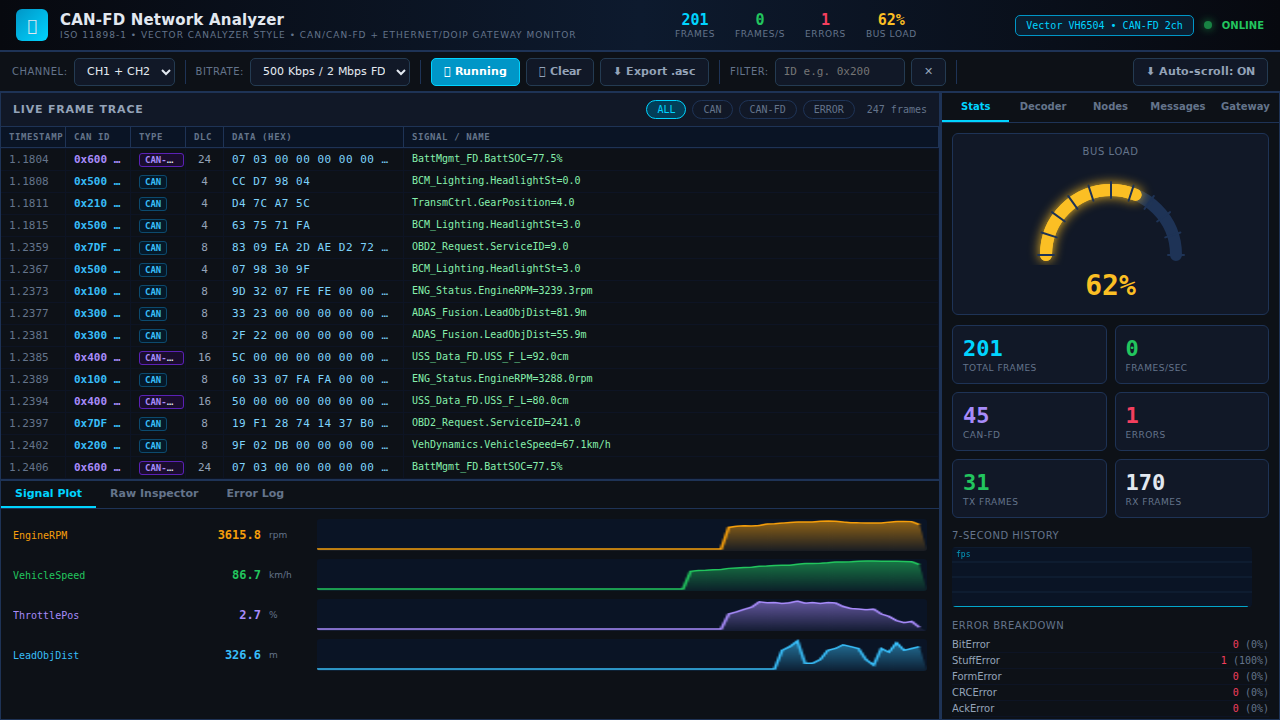
A professional automotive CAN-FD network analysis tool simulating live bus traffic across 8 ECU nodes. The dashboard features a scrolling frame trace with decoded DBC signal names, a semicircle bus load gauge, real-time signal waveform plots for RPM/Speed/Throttle/ADAS distance, full byte inspector, and error statistics. Supports 500Kbps CAN and 2Mbps CAN-FD bitrates with fault injection and .asc log export compatible with Vector CANalyzer format.
Interactive Demo
Run the interactive demo directly in this page, or open it in a dedicated tab for full-screen testing.
Demo Size
This interactive demo allows you to try CAN-FD Network Analyzer & Protocol Decoder. Use keyboard navigation to interact with the embedded content.
Project Information
Technology Stack
How to Use CAN-FD Network Analyzer & Protocol Decoder
Follow this interactive guide to learn all the features and how to use this application effectively.
Frame Trace & Decoding
Monitor CAN/CAN-FD frames with DBC signal decoding.
Instructions
- View scrolling frame trace with timestamps
- See message ID, frame type, DLC, and hex data
- DBC signals decoded and displayed
- Filter frames by ID or message type
Pro Tips
- DBC database includes 8 message definitions
- Frame trace scrolls automatically
Step 1 of 3
Continue Exploring
Related Projects
Automotive CAN-Bus Logger
Desktop CAN/CAN-FD logging and diagnostics tool with live frame trace and export support for Vector workflows.
Camera Object Detection
Real-time camera object detection demo powered by OpenCV pipelines and confidence scoring.
Embedded Video Systems Engineer
Interactive embedded video systems dashboard — live H.265/AV1 pipeline, VPU metrics, codec tuning, and multi-platform mobile targets